

Test data
Test Data holds the inputs that data-driven tests run on, kept apart from the tests that use them. It has two tabs: Data sets and Data pools.
You need the Manage test data permission (Test Developer and above) to change them.
Data sets
Section titled “Data sets”A data set is a table of inputs (vendors, items, GL accounts) that a test can run on once per row. Rows are reusable: every run reads all of them.
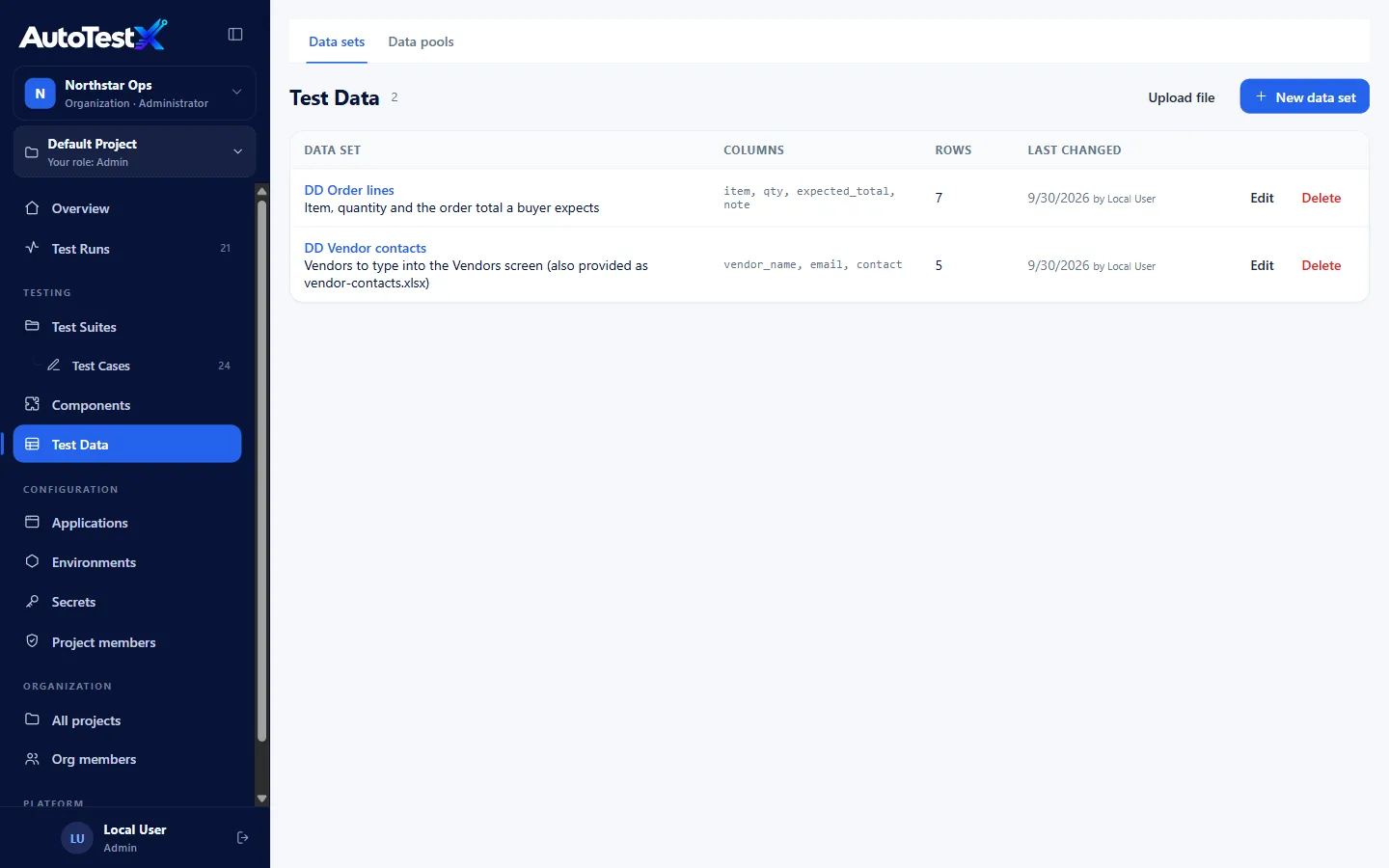
Creating a data set
Section titled “Creating a data set”| Way | How |
|---|---|
| Upload a file | Upload file and choose a .csv, .tsv, .txt or Excel .xlsx file. The first row must be the column names. |
| Start empty | New data set, then add columns and rows in the table |
| Paste | In a data set, Paste CSV and paste text or cells copied from a spreadsheet (first row = column names) |
In the data set editor you can:
- rename it and add a Description,
- add, rename and remove columns,
- add and remove rows, and edit cells,
- Upload file to replace the table,
- Save (nothing is saved until you do).
Column names become the names tests use: a column vendor_name is {{data.vendor_name}}.
Prefer simple names (letters, digits, _).
Data pools
Section titled “Data pools”A data pool holds single-use records: fresh accounts, unused order numbers, unique vendor identities. When a test runs on a pool, each row leases its own record, so two runs at the same time never use the same one.
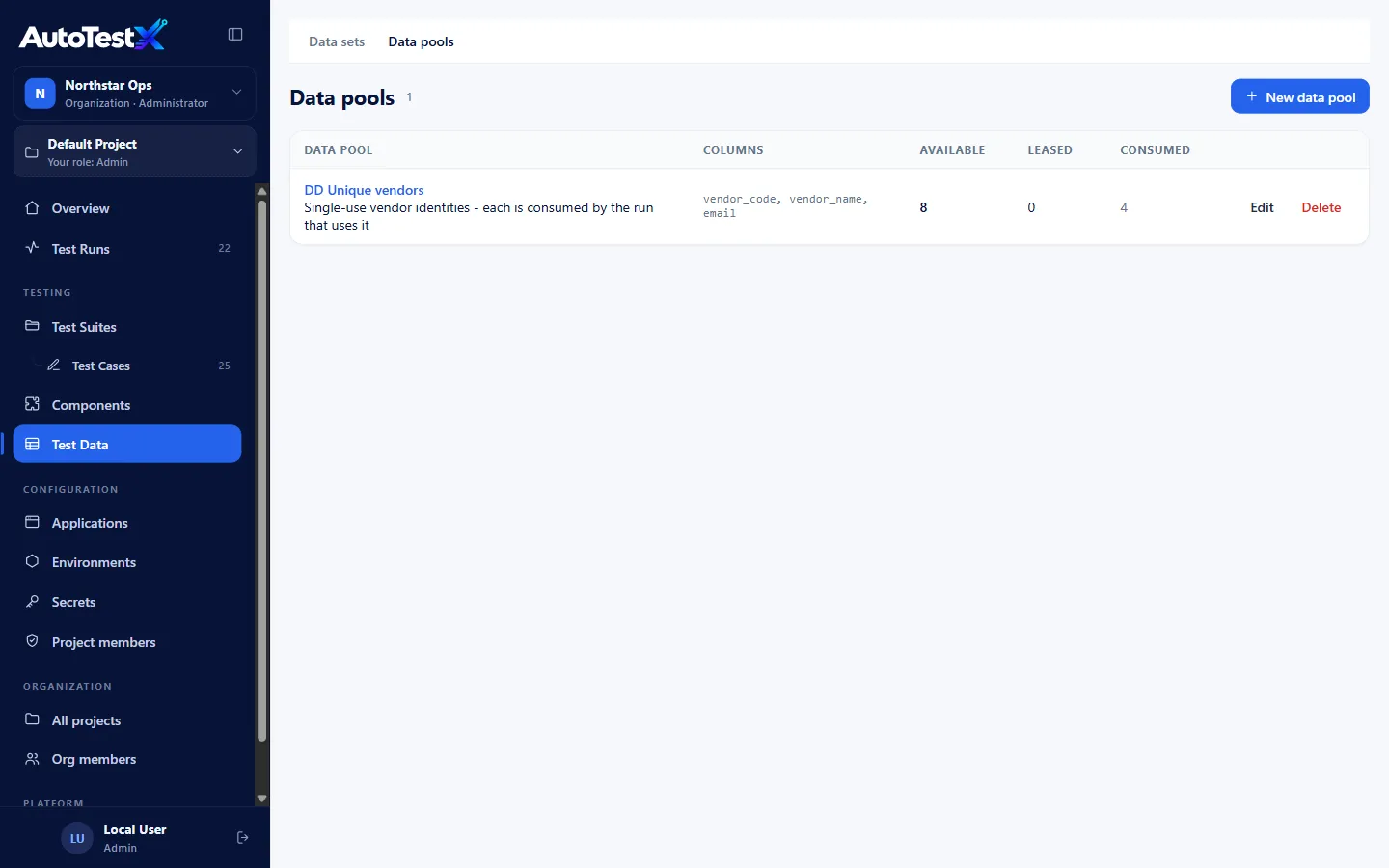
The list shows each pool’s columns and how many records are Available, Leased (in use by a run right now) and Consumed (used up).
Record life cycle
Section titled “Record life cycle”available ──(a row leases it)──▶ leased ──(row finishes)──▶ consumed (After a row: Consume) │ └──────────────────────▶ available (After a row: Return, or the row never started)- A lease expires unless the run keeps renewing it, so a crashed run does not strand records for long.
- A row that never reached its first step always returns its record.
- Consumed records are kept for tracing: which run used which record and when.
Managing a pool
Section titled “Managing a pool”Open a pool to:
- edit its records (a leased record is locked while a run uses it),
- Add from file: append records from CSV, TSV or Excel,
- Release leases: return every leased record. Only do this when no run is using them.
- Restore consumed: make every consumed record available again, e.g. after resetting the test environment’s data,
- Save.
Data sets vs pools vs other sources
Section titled “Data sets vs pools vs other sources”| Use | When |
|---|---|
| Data set | The same inputs every run: field validations, price checks, a list of vendors to create |
| Data pool | Each record may be used once: an account that is activated, an order number consumed by posting |
| Inline table (in the test) | A few rows that belong to that test only, e.g. negative cases |
| HTTP request (in the test) | The rows live in the application: every active catalog item |
How to bind a test to any of these: Data-driven testing.