

Environments and secrets
An environment is one place your application runs (UAT, Staging, Production smoke) together with the values and credentials a test needs there. Tests never contain addresses or passwords. They refer to the environment’s, so one test runs anywhere.
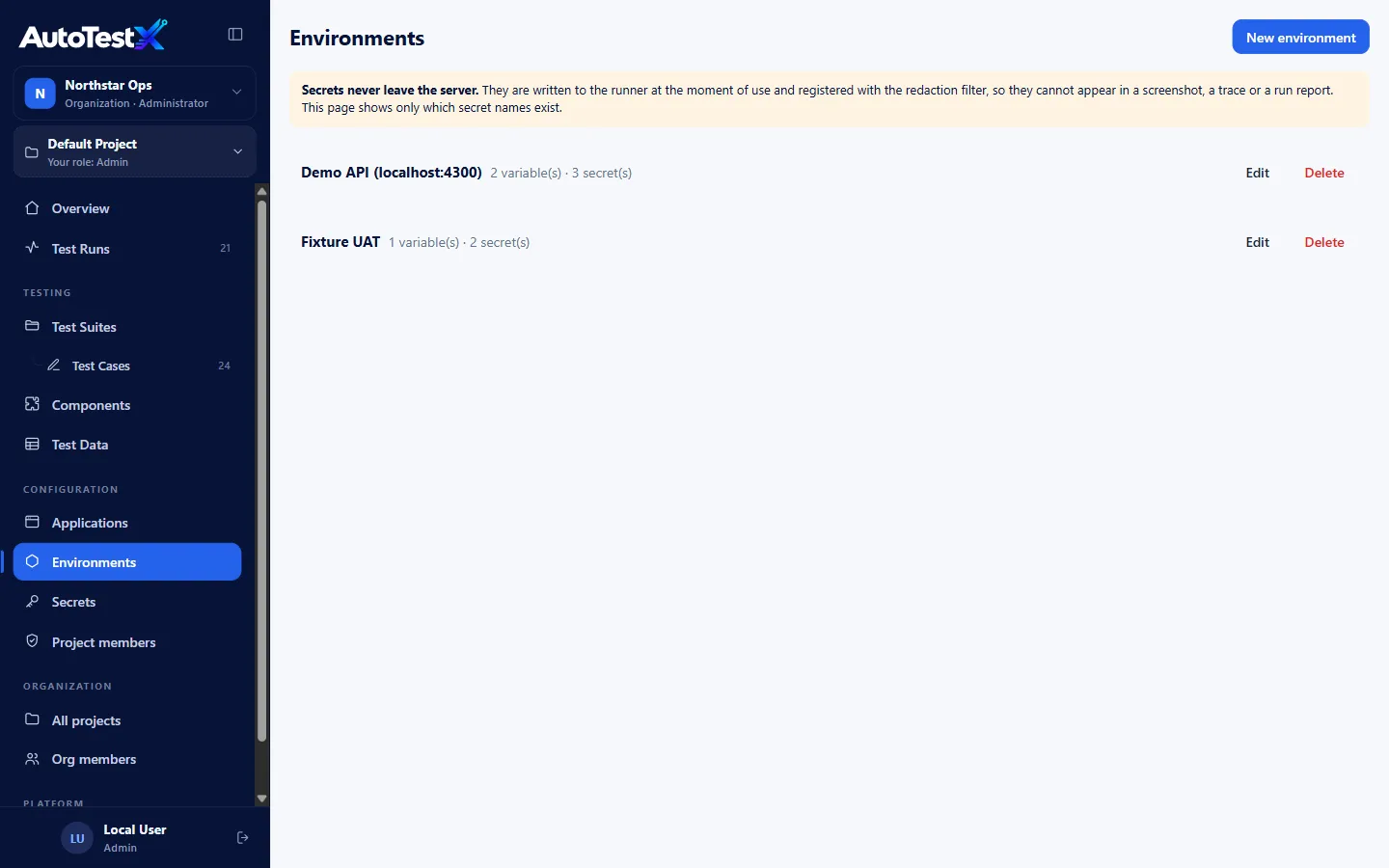
You need the Manage environments and secrets permission (Test Manager and Admin) to change environments. Everyone in the project can see environment names, variable names and which secrets exist, but never secret values.
Creating an environment
Section titled “Creating an environment”-
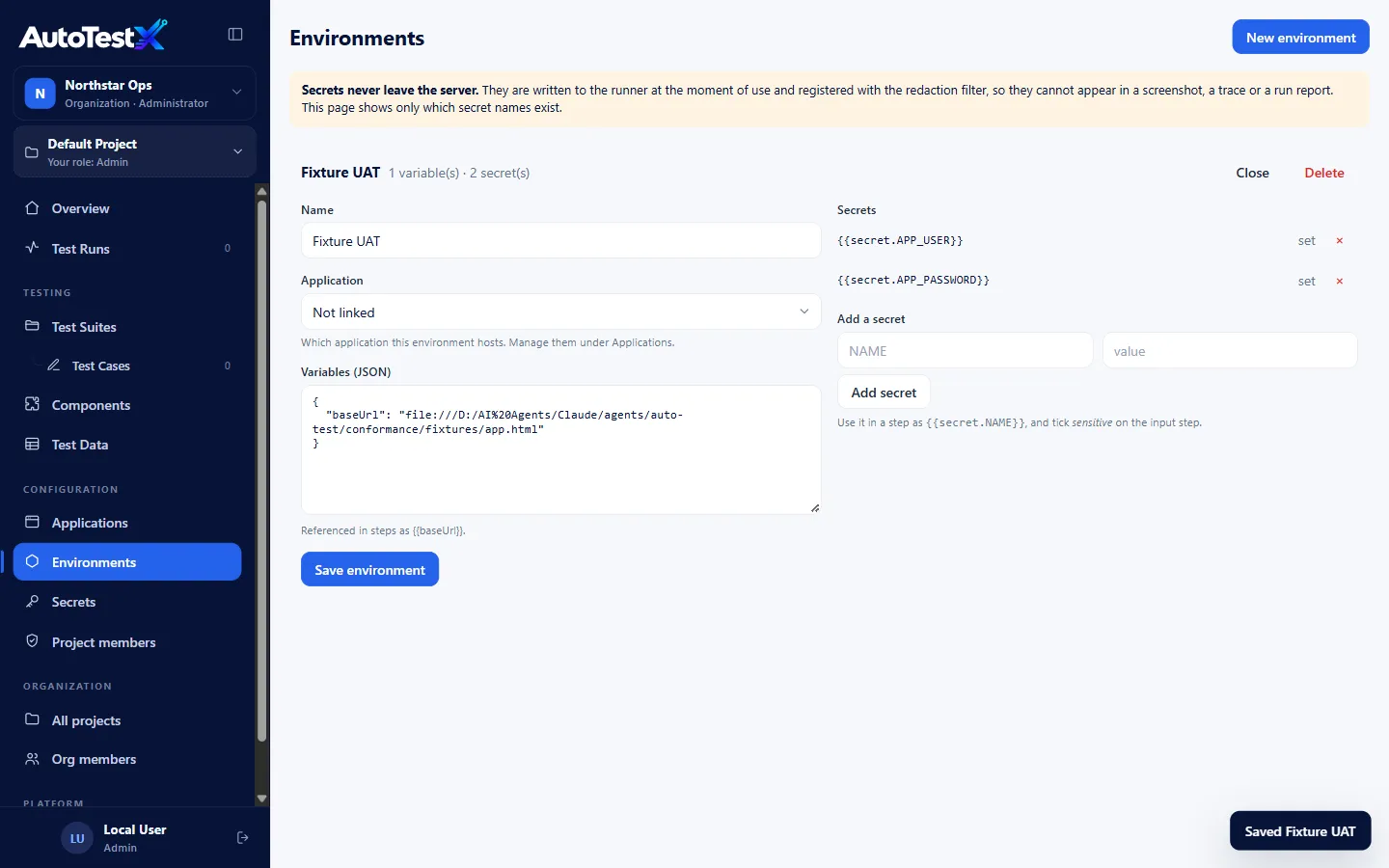
Environments → New environment and enter a name.
-
Fill in:
Field Notes Name e.g. Maximo UAT Application Optional: the application this environment hosts Variables (JSON) Any values tests need, as a JSON object. baseUrlis the conventional address.{"baseUrl": "https://uat.example.com/maximo","apiUrl": "https://uat.example.com/api","site": "BEDFORD"}Steps use them as
{{baseUrl}},{{apiUrl}},{{site}}. -
Save environment.
Adding secrets
Section titled “Adding secrets”Under Add a secret, type a NAME (e.g. APP_PASSWORD) and its value, then
Add secret. The value is stored on the server and never shown again. The list
only says it is set. × removes a secret.
Use it in a step as {{secret.APP_PASSWORD}}. On a Type step, also tick
sensitive.
How secrets are protected
Section titled “How secrets are protected”- A secret is resolved only inside the runner, at the moment a step uses it.
- Before use, its value is registered with a redaction filter. Every log line, step
detail, error message and variable shown in a report is scrubbed of it, and appears
as
••••or***REDACTED***. - Recording never stores a secret’s value. If you type a value that matches a secret,
the step records
{{secret.NAME}}. - Custom code sees only the secrets the step explicitly declares.
- The AI step writer receives secret names, never values.
The Secrets page
Section titled “The Secrets page”Secrets lists every secret name used in the project, across all environments.
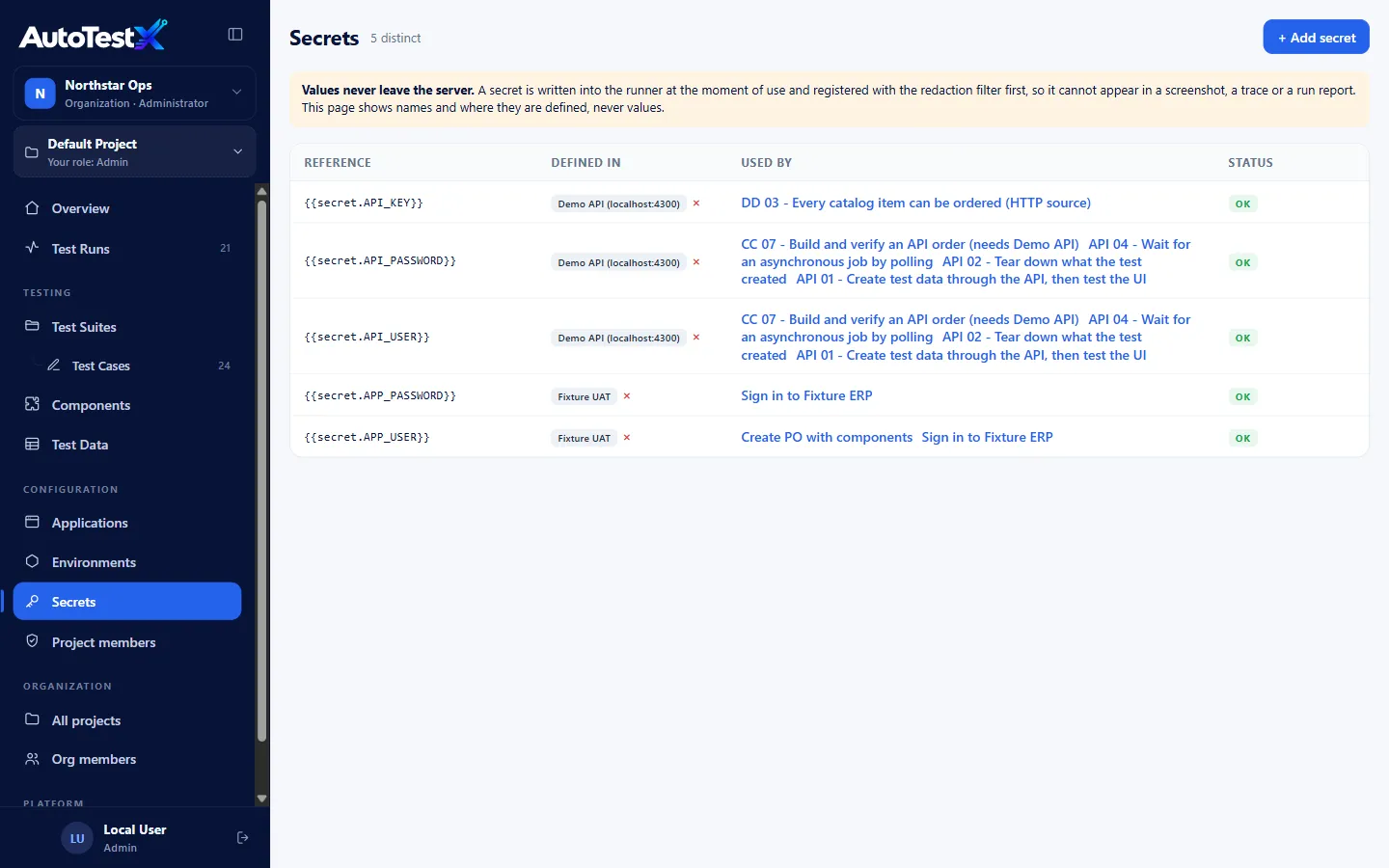
| Column | Meaning |
|---|---|
| Reference | {{secret.NAME}} |
| Defined in | Environments that have a value for it. × removes it from one. |
| Used by | Tests that reference it |
| Status | OK, Missing (a test uses it but no environment defines it, so the run will fail), or Unused (defined but no test uses it) |
+ Add secret sets a secret in a chosen environment from here.
Check this page after importing tests or before a release. A Missing secret is a failure waiting to happen.
Choosing an environment for a run
Section titled “Choosing an environment for a run”- Editor: the selector above the steps. It starts on the first environment in the list, so check it before running.
- Recorder and Pick: the dialog’s Environment field.
- API:
environmentIdinPOST /api/runs. - CLI:
--env file.jsonwithvariablesandsecrets. See CLI.
- Keep variable names identical across environments (
baseUrl,apiUrl), so a test runs unchanged against any of them. - Use separate, low-privilege test accounts per environment. Never real people’s credentials.
- Name environments after where they point (Maximo UAT), not who uses them.