

Write with AI
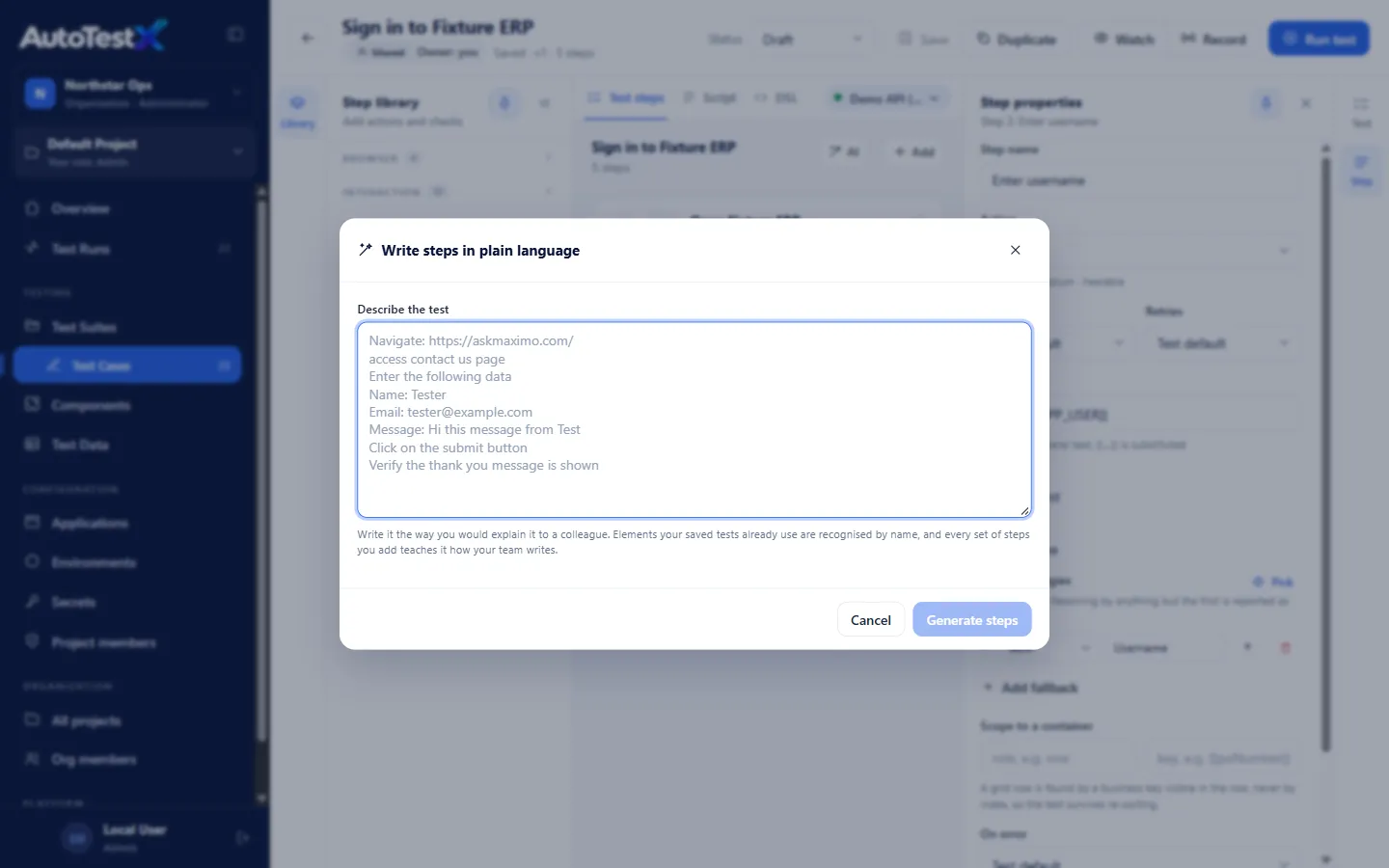
Write with AI turns a plain-language description into test steps. It uses Claude (Anthropic’s AI model).
Requirements
Section titled “Requirements”The server must have an Anthropic API key. Set ANTHROPIC_API_KEY in the server’s
environment and restart it. Without a key, the dialog shows “The AI step writer is not
connected…”. See Configuration.
Using it
Section titled “Using it”-
In the editor, choose Write with AI (AI on narrow screens).
-
Under Describe the test, write the steps the way you would explain them to a colleague, for example:
Open the application and sign in with the test user.Go to Purchase Orders and create a new order for vendor Globex.Add item 1234, quantity 2.Save, and check that the status is Approved. -
Choose Generate steps (or Ctrl+Enter).
-
Review the proposed steps. Each one shows:
- the action and its details,
- from “…”: the part of your text it came from,
- any validation problem.
Notes at the top list anything that was not turned into a step, and any assumptions made.
-
Untick the steps you do not want. Regenerate tries again from your text.
-
Choose Add n steps. They are inserted after the selected step, or at the end if none is selected.
-
Review targets and values, then Save.
What it knows
Section titled “What it knows”To propose accurate steps, the writer is given:
- The step catalogue: only real step types are proposed, and every step is validated before you see it.
- The selected environment: its
baseUrl, variable names and secret names (never secret values), so it can write{{secret.APP_PASSWORD}}. - The test so far, so new steps continue it.
- Elements your saved tests already use in this project. “Click Save” in a Maximo test becomes the real locator your team already uses, not a guess.
- Conversions your team accepted before. Each time you add generated steps, the text and the steps are kept as an example for this project (up to 200), so the writer learns your team’s phrasing.
Examples are stored per project and never shared with another project.
Limits
Section titled “Limits”- Only flat steps are generated. Loops, conditions and lookups are built in the editor.
- Targets for elements no saved test has used yet are best guesses. Use Pick to confirm them.
- Generated steps are a draft. Nothing is saved until you save the test.